Software for accounting firms: stop chasing invoices every quarter.
If your accounting firm handles 300, 400 or 500 clients, you know the routine: every quarter you have to get all of their sales and expense invoices into the accounting system. And before you can post them, you have to get hold of them.
Emails to clients reminding them to send their invoices, invoices that arrive late and in pieces, and all the work squeezed into the few days left before taxes have to be filed. The result: huge workload peaks for your team, quarter after quarter.
Avanbox IDEA, by Documelia
Avanbox IDEA is the pack of Avanbox, Documelia's application, designed for accounting firms. It brings together three parts that work together:
- Nova: the portal you share with your clients. They upload their invoices and receive their documents.
- Astra: reads invoices with AI, verifies them before posting and reconciles the bank.
- Core: files every document in the client's file.
Nova, the portal with your clients, working both ways
Nova is the portal between your firm and your clients, and it works both ways: they send you their invoices and you send them their documents.
Your client sends you their invoices
Your client uploads their sales and expense invoices without waiting for you to ask: from a phone by taking a photo, or from a computer.
And receives what you send
Payslips, tax forms, contracts and any other document your firm sends them arrive in their portal, organized in folders.
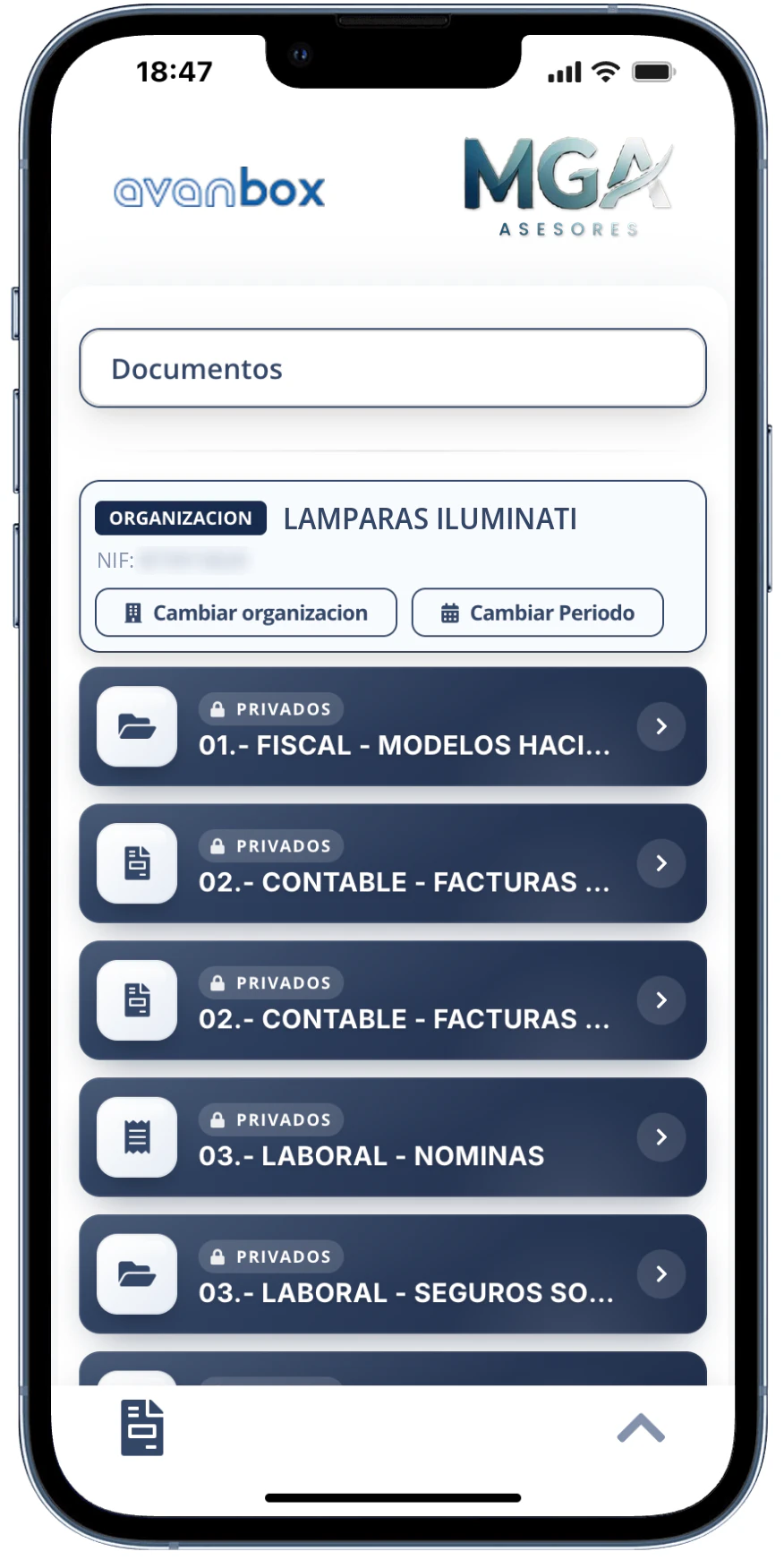
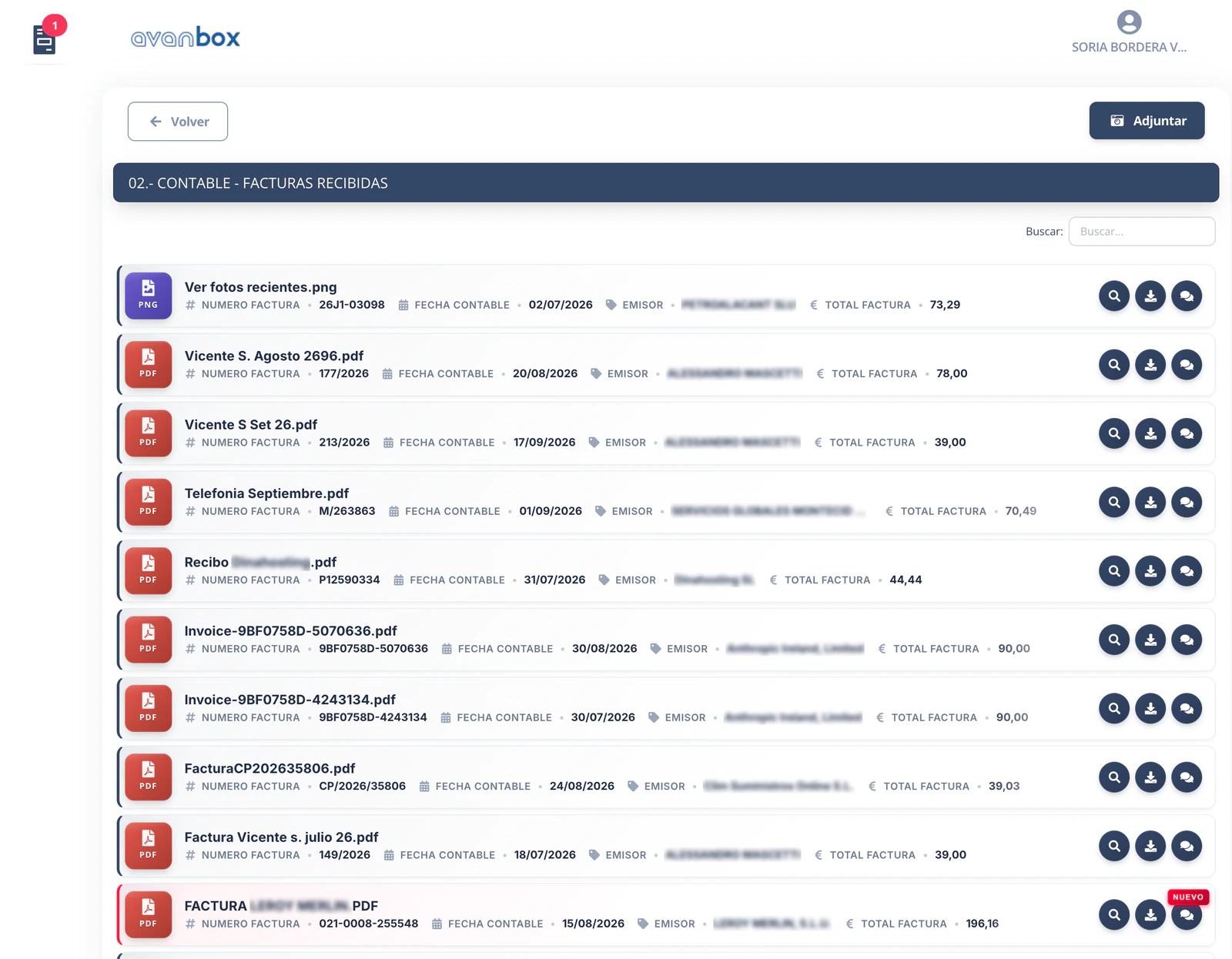
How documents reach them
- You drop the documents into a folder on your desktop: for example, tax forms printed to PDF from your software, or payslips.
- Avanbox recognizes them using artificial intelligence and classifies them.
- It assigns the permissions and publishes to each client what belongs to them in their portal, with a notification.
- And every document is filed in the client's file, in Core.
No duplicates
If your client uploads the same file more than once, it is discarded automatically. You don't have to hunt for the repeats or delete them by hand.
Reading with two artificial intelligences, cross-checked
Every invoice that enters the portal is read automatically by two artificial intelligences, separately, and their results are compared with each other. Your team stops typing invoices in by hand.
An invoice is validated and posted automatically only when both conditions are met at the same time: the client or supplier is on your allowlist and the two artificial intelligences agree on the reading.
In any other case — if it is not on the allowlist, or if the readings don't match — the invoice goes to Astra and you review and validate it yourself.
Out of 7,200 invoices in very different formats, only 6 needed a manual correction of any extracted data.
Astra, the verification screen
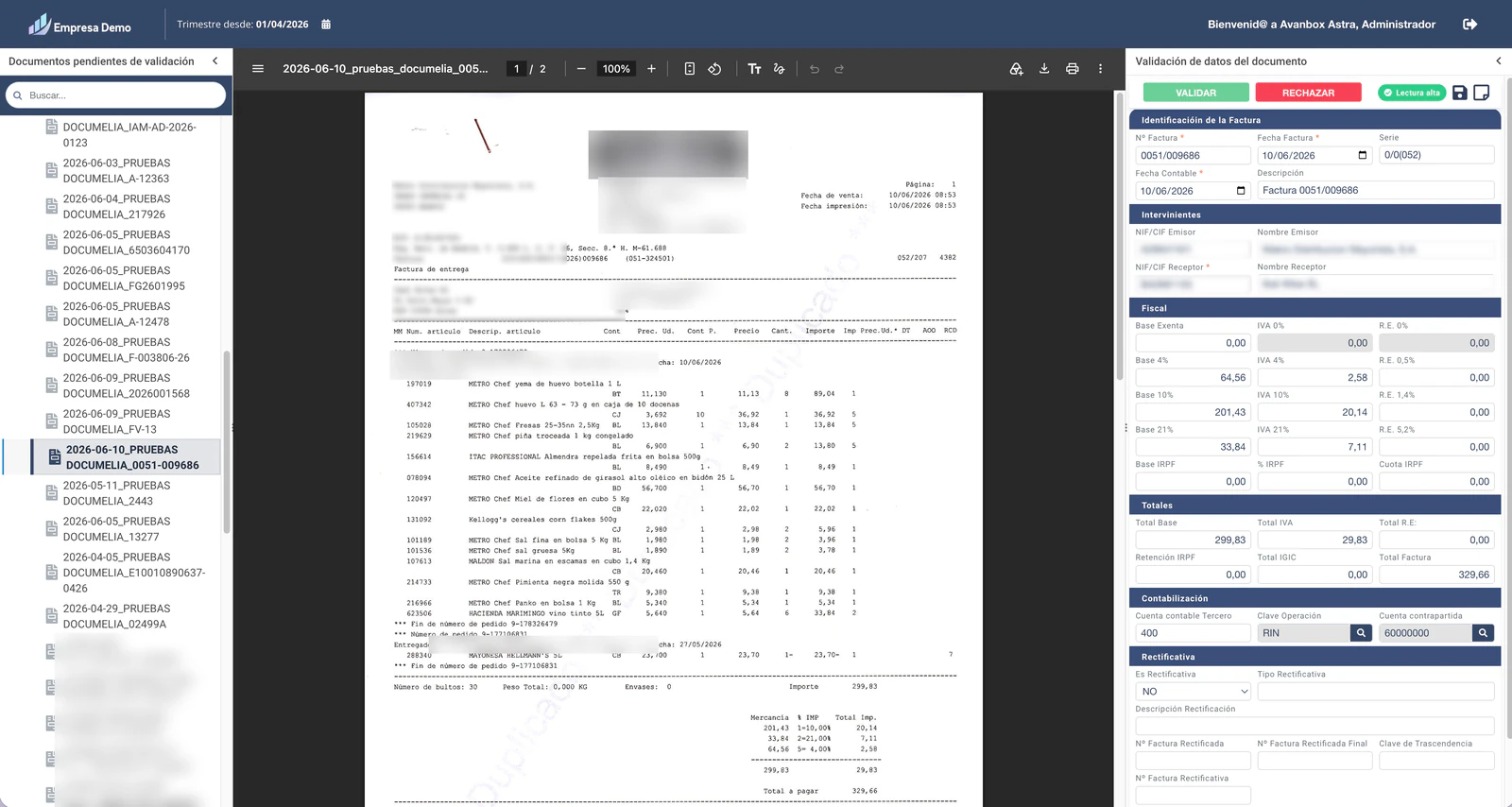
When an invoice reaches Astra, you review it on the verification screen before posting it: the invoice on one side and the extracted data on the other. If everything is right, you validate it; if something doesn't add up, you reject it.
Allowlists save you that step for trusted clients and suppliers, but only when the two artificial intelligences also agree on the reading: in that case the invoice is validated and posted directly. If the client or supplier is on the allowlist but the readings don't match, the invoice also goes to Astra for you to review.
Automatic transfer to your accounting software
Validated invoices go automatically to your accounting software. Avanbox IDEA works with:
- Sage 200
- Sage Despachos
- a3ASESOR
- a3innuva
- Diamacon
- Geyce
- ContaSol
- and other accounting software
Bank reconciliation with Astra
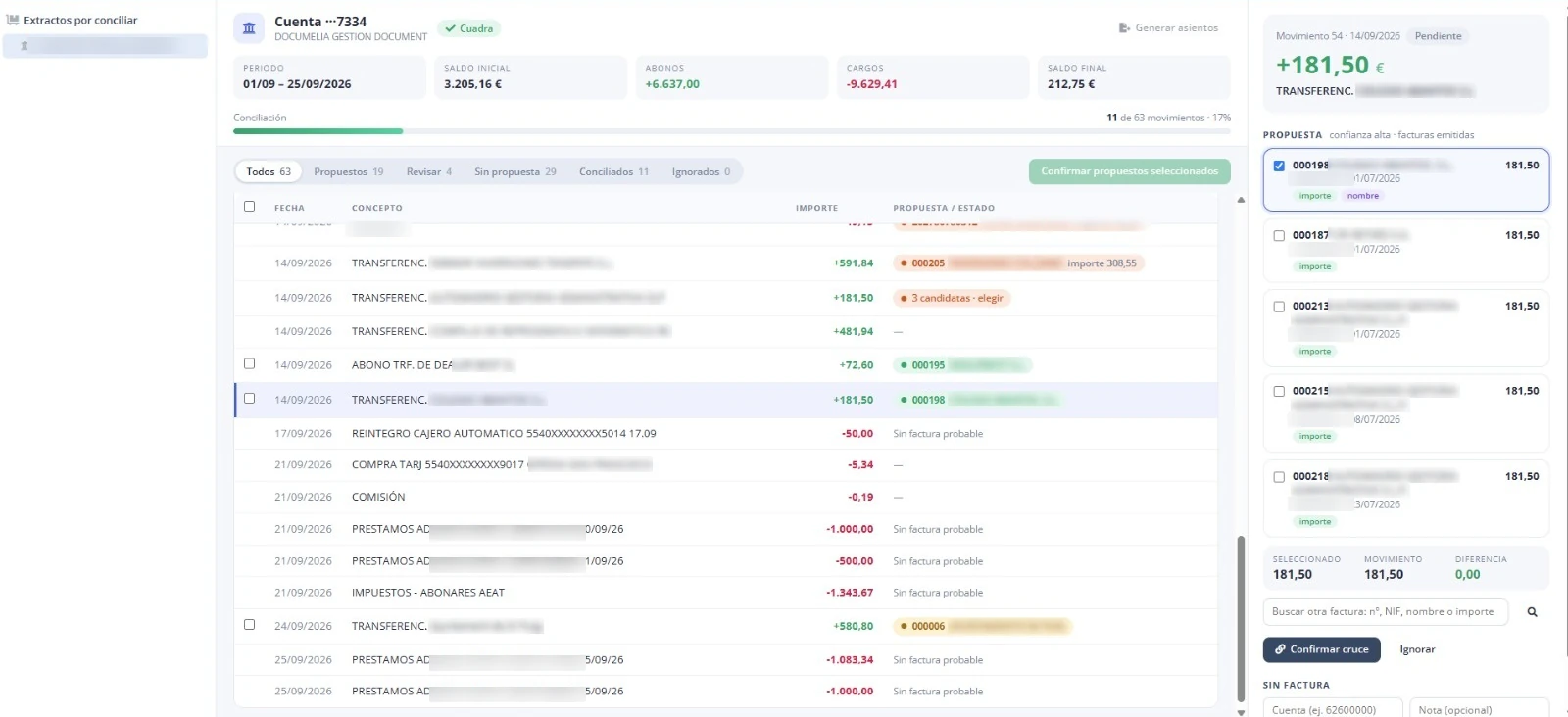
Reconcile bank transactions with invoices without working entry by entry:
- You import the bank statement in Norma 43 format (the Spanish standard format for bank statements).
- The system suggests which invoice matches each transaction.
- When you need to, you group them manually.
- Astra generates the entries.
Communication with your clients
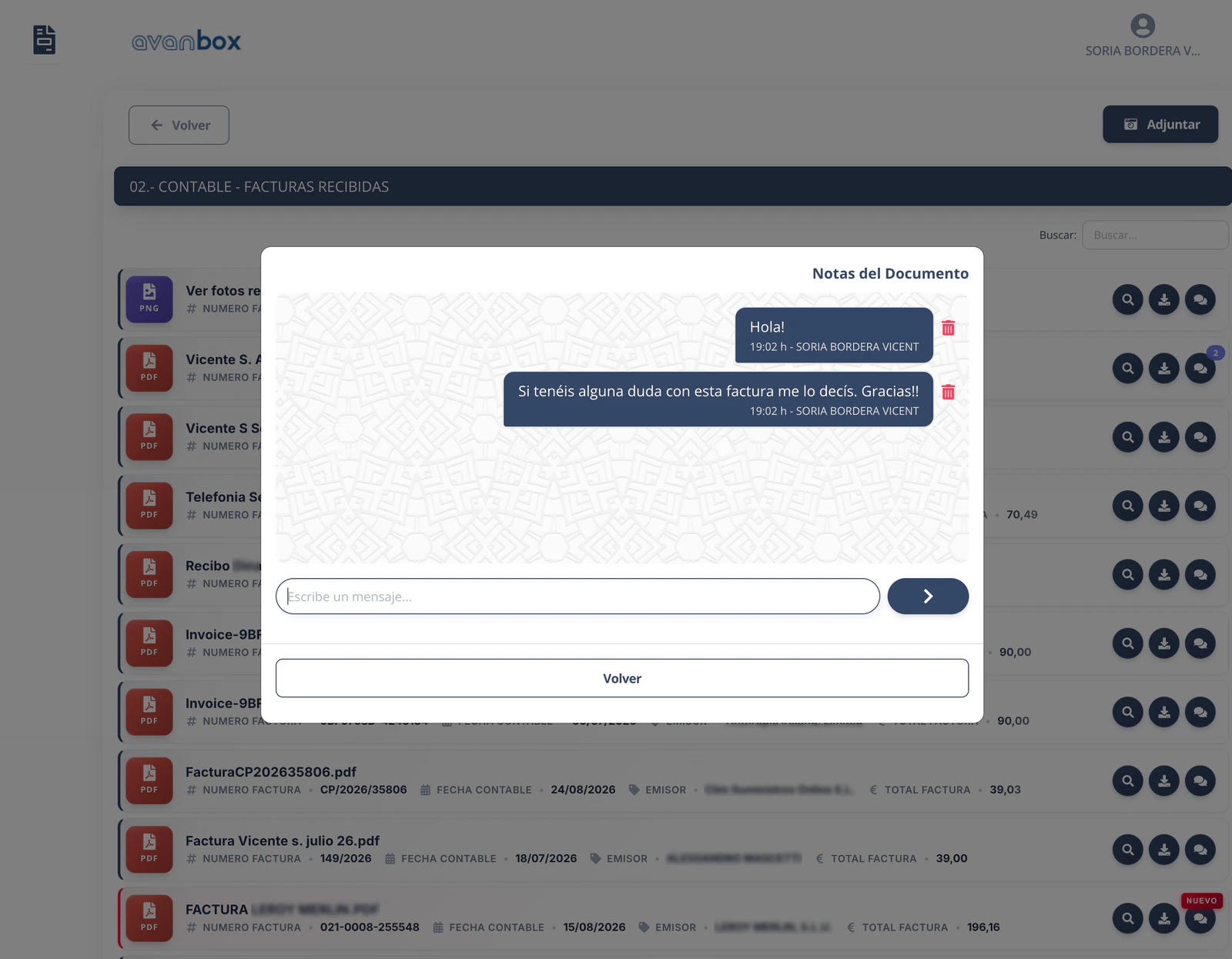
- A notes chat on every document, to clear up questions about a specific invoice right on the invoice itself.
- Bulk messages to your clients, with confirmation of whether each client has opened and accepted them.
- Digital signature requests for documents.
Want to see it in action?
We'll show you Nova, Astra and Core in a demo for your accounting firm.
Request a demo → Download the brochure (PDF, Spanish)